















































Microsoft Dynamics 365 + Magento Adobe Commerce Integration with E-Link
E-Link creates a seamless, secure, and scalable integration between Microsoft Dynamics Business Central and Magento Adobe Commerce.
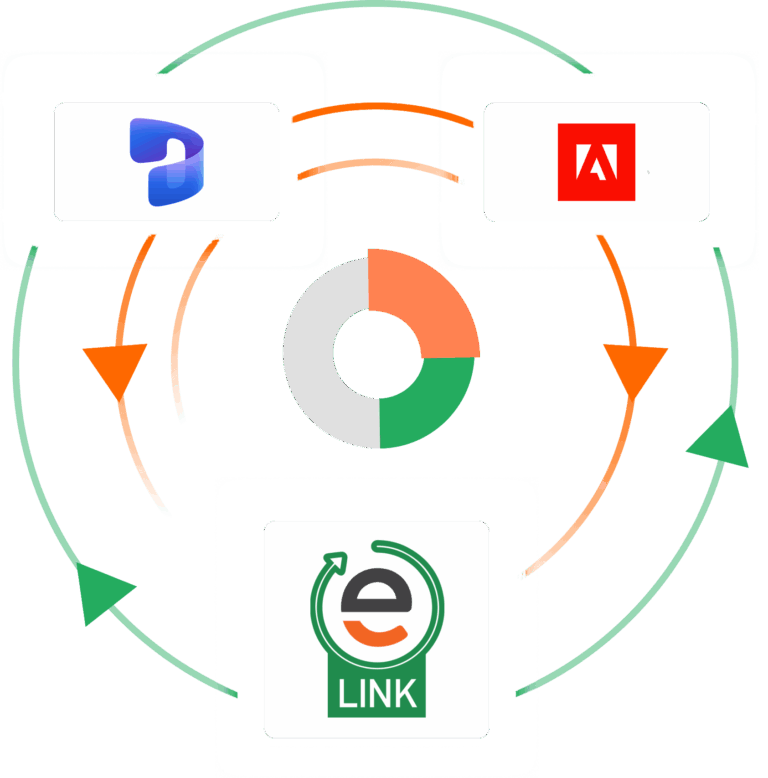

synchronize your core business platforms with a seamless eCommerce integration
Integrating Microsoft Dynamics 365 Business Central with Magento Adobe Commerce
E-Link provides businesses with a better B2B and B2C eCommerce experience by seamlessly connecting Magento Adobe Commerce with Microsoft Dynamics 365. Our proprietary Magento Dynamics 365 integration solution replaces time-consuming manual data entry and disconnected workflows with automated data synchronization.
E-Link creates a real-time connection between Microsoft Dynamics 365 and Magento Adobe Commerce, automatically synchronizing critical business data, including orders, inventory, customer information, pricing, products, and shipping details. By eliminating duplicate data entry and reducing costly errors, businesses can streamline operations, improve accuracy, and scale more efficiently. Our Magento Microsoft Dynamics 365 integration extends the power of your eCommerce platform into your ERP system, providing your team and customers with accurate, up-to-date information that accelerates order processing and enhances the customer experience.
Since 2012, CertiPro has helped manufacturers, distributors, and B2B eCommerce companies implement reliable ERP and eCommerce integration solutions. With extensive experience connecting business systems and automating complex workflows, our team helps companies create a more efficient, scalable, and connected operation.
Key Features
CertiPro’s E-Link Magento Dynamics 365 integration manages the following eCommerce data connection points:
Product Data
Centralize your product information management and ensure product data consistency between Microsoft Dynamics 365 and Magento Adobe Commerce.
Inventory Data
Real-time inventory updates in Magento Adobe Commerce improve inventory accuracy and customer service while preventing oversells.
Customer Data
Centralize customer information across Dynamics 365 and Magento, including customer accounts, account updates, transactions, and addresses.
Order Data
Reduce order aging with an automated online order processing and provide a self-service online portal for both B2B & B2C customers with Magento.
Invoice and Payment Data
Streamline payment collection and accounting processes, including storing payment details securely for easy repeat ordering.
Shipping & Tracking Data
Centralize shipping and tracking information between Microsoft Dynamics and Magento Adobe Commerce, and automatically provide customer updates.
streamline processes while avoiding costly mistakes
How Microsoft Dynamics 365 Magento Integration Works
E-Link provides your business with a secure Microsoft Dynamics 365 Business Central Magento integration that saves time, reduces errors, and improves operational efficiency. E-Link delivers real-time data synchronization between Microsoft Dynamics 365 and Magento Adobe Commerce, providing accurate inventory visibility and seamless communication between your eCommerce platform and ERP system.
Our Microsoft Dynamics 365 Magento Integration supports B2B and B2C eCommerce operations, including Business Partner Portals and other customer-facing experiences. Customer information, inventory, orders, order history, pricing, and other critical data remain accurate and up to date, enabling better customer experiences and more informed business decisions.
Unlike standard integration solutions, E-Link provides greater flexibility and customization to match your unique business processes. Our expert team delivers a highly adaptable Microsoft Dynamics 365 and Magento integration designed around the exact experience your business and customers require.
BENEFITS
Microsoft Dynamics 365 Magento Integration Benefits
Avoid Errors
Ensures consistency between Dynamics 365 and Magento
Better Visibility
Improve visibility into critical operational and financial data
Reduce Downtime
Streamline backend operations and order processing
Better Experience
Improve the customer experience with accurate, real-time data
Highly Customizable
Highly customizable and flexible to suit your needs
Better Ordering
Track orders and easily manage processes with increased automation
Best Practices for Microsoft Dynamics 365 Magento 2 Integration
Before implementing a Microsoft Dynamics 365 Magento integration, it’s important to follow a few best practices to ensure everything runs smoothly and scales effectively over time. The first step is choosing the right integration solution for your business needs. From there, maintaining clean and consistent data across both systems, optimizing inventory management, and ensuring secure data transfer all play a key role in overall success. When done correctly, a Microsoft Dynamics 365 Magento integration can improve customer service, increase operational efficiency, and drive higher profitability.
1. Choosing the Right Integration for Your Business
Not all Microsoft Dynamics 365 Magento integrations are the same in terms of functionality. Integration methods can differ, including APIs, webhooks, file-based transfers, and database polling. In most Microsoft Dynamics 365 and Magento environments, real-time synchronization is typically the best approach because it keeps data continuously up to date across both systems.
With real-time integration, orders are processed immediately, and inventory levels are updated instantly across your eCommerce storefront and ERP system. This reduces delays, improves accuracy, and supports better customer experiences. Scalability is also an important consideration. Your integration should be able to handle increasing transaction volumes and evolving business requirements. API-based integrations provide greater control, flexibility, and extensibility for Microsoft Dynamics 365 Magento integration workflows.
2. Maintain Data Consistency
Data consistency is essential for a successful integration. Microsoft Dynamics 365 and Magento often store similar data in different formats, so it is important to standardize how information is structured and transferred between systems.
This includes defining consistent field formats, applying validation rules, and ensuring required fields are properly enforced. It is also important to establish a clear source of truth for each data type. For example, Microsoft Dynamics 365 is typically the authoritative source for product, SKU, and inventory data, while Magento serves as the primary system for capturing orders and customer-facing updates.
3. Optimize Inventory Management
Inventory accuracy is one of the most important benefits of a Microsoft Dynamics 365 Magento integration. Without integration, businesses often rely on manual updates, which can lead to overselling, stock discrepancies, and fulfillment issues.
With real-time synchronization between Microsoft Dynamics 365 and Magento, inventory levels are automatically updated across both systems. This ensures customers always see accurate stock availability, reduces fulfillment errors, and improves overall operational efficiency.
4. Ensure Data Security
Data security is a critical consideration in any Microsoft Dynamics 365 Magento integration. As cyber threats continue to evolve, businesses must ensure that sensitive customer and transactional data is protected throughout all system interactions. Secure integration practices help safeguard data as it moves between Microsoft Dynamics 365 and Magento. This includes using encrypted connections, secure authentication methods, and regularly updated systems that address known vulnerabilities.
By prioritizing security, businesses can protect customer data, maintain compliance, and build trust while ensuring reliable integration performance.
Microsoft Dynamics 365 Magento Integration FAQs
What is Microsoft Dynamics 365 Magento integration?
A Microsoft Dynamics 365 Magento integration connects Microsoft Dynamics with Magento 2, forming an automated data exchange between these core business platforms. to automatically synchronize data such as products, inventory, pricing, customers, and orders between both systems.
Why should businesses integrate Microsoft Dynamics 365 with Magento?
Integrating Microsoft Dynamics 365 with Magento helps eliminate manual data entry, improve inventory accuracy, automate order processing, and create a more efficient eCommerce operation. It improves customer service by ensuring information listed on the website is accurate.
What data can be synchronized through a Microsoft Dynamics Magento integration?
A Microsoft Dynamics 365 Magento integration synchronizes eCommerce data for both B2B and B2C eCommerce, as well as Customer Portals. It handles data including, products, inventory levels, customer records, pricing, sales orders, shipments, tracking information, and invoices.
How does Microsoft Dynamics 365 Magento integration improve inventory management?
The integration provides real-time inventory synchronization between Dynamics 365 and Magento, helping businesses prevent overselling, improve stock visibility, and maintain accurate inventory records.
Can Microsoft Dynamics 365 Magento integration automate order processing?
Automating online order processing is one of the primary benefits of integrating your ERP and webstore. Orders placed in Magento will automatically sync to Microsoft Dynamics 365 for fulfillment, invoicing, inventory allocation, and customer management. This reduces the manual workload and speeds up order fulfillment.
Is real-time synchronization possible with Microsoft Dynamics 365 Magento integration?
Many Microsoft Dynamics 365 Magento integration solutions, including E-Link, support near-real-time or real-time synchronization, ensuring that inventory, pricing, customer, and order data remain accurate across both systems.
How does Microsoft Dynamics 365 Magento integration improve customer experience?
A Microsoft Dynamics integrates creates a real-time data transfer between MS Dynamics and Magento, ensuring that customers always see accurate, up-to-date information on the website. They’ll have access to accurate product availability, pricing, order status, and account information. An integration also automates online order processing, accelerating fulfillment and ensuring that customers receive products faster.
Can Microsoft Dynamics 365 Magento integration support B2B eCommerce?
Some Microsoft Dynamics 365 Magento integrations can indeed support complex B2B eCommerce requirements. If you need an integration that can support B2B functionality, it’s important to choose one that is highly flexible and customizable to support your unique workflows.
Our E-Link Microsoft Dynamics Magento 2 integration handles B2B-specific functionality, including customer-specific pricing, account-based purchasing, credit terms, order history, and complex pricing structures.
What are the benefits of automating data synchronization between Dynamics 365 and Magento?
Creating an automated data sync keeps your core business platforms aligned. It reduces human error, improves operational efficiency, accelerates order fulfillment, and provides more accurate business data.
How long does a Microsoft Dynamics 365 Magento integration implementation take?
The implementation time varies based on a variety of factors, including business requirements, customizations, and operational complexity. Most projects involve planning, configuration, testing, and deployment phases. An integration project typically takes between 12-16 weeks, although it may take more or less time depends on the needs of the business.
Can Microsoft Dynamics 365 Magento integration scale as a business grows?
Increasing scalability is one of the main reasons to implement a Magento Microsoft Dynamics 365 integration. A properly designed integration grows with your business, easily handling growing order volumes, expanded product catalogs, and additional users.
Does Microsoft Dynamics 365 Magento integration improve reporting accuracy?
Integrating Microsoft Dynamics 365 and Magento improves data accuracy because data is automatically synced between platforms. There’s no need for manual data entry or delayed data uploads and downloads, which raise the risk of errors.
What challenges does Microsoft Dynamics 365 Magento integration solve?
A MS Dynamics 365 Magento Adobe Commerce integration solves a variety of businesses challenges, including removing barriers to growth.
It streamlines workflows and automates manual processes, improving efficiency. It also improves customer service by ensuring that customers always have access to current data on the website.
Business leaders will have access to all critical operational and financial data in a single location, which means they can make better, faster decisions and respond to market fluctuations in real time.
Is Microsoft Dynamics 365 Magento integration suitable for manufacturers and distributors?
Many manufacturers and distributors use Microsoft Dynamics 365 Magento integrations to improve operations, including automating workflows and supporting their B2B and B2C eCommerce operations.